
The hot-desk ritual we finally retired
There's a specific dance that happens at the shared desks in Đà Nẵng every morning. Laptop down, then the reach for the monitor cable, the second monitor cable, the mouse dongle, the keyboard dongle. Four plugs, two of them behind the screens, one of them always upside down on the first try. Mạnh timed it once out of spite: ninety seconds per person, twice a day, multiplied by everyone who rotates through those desks. He presented this number at standup like a prosecutor.
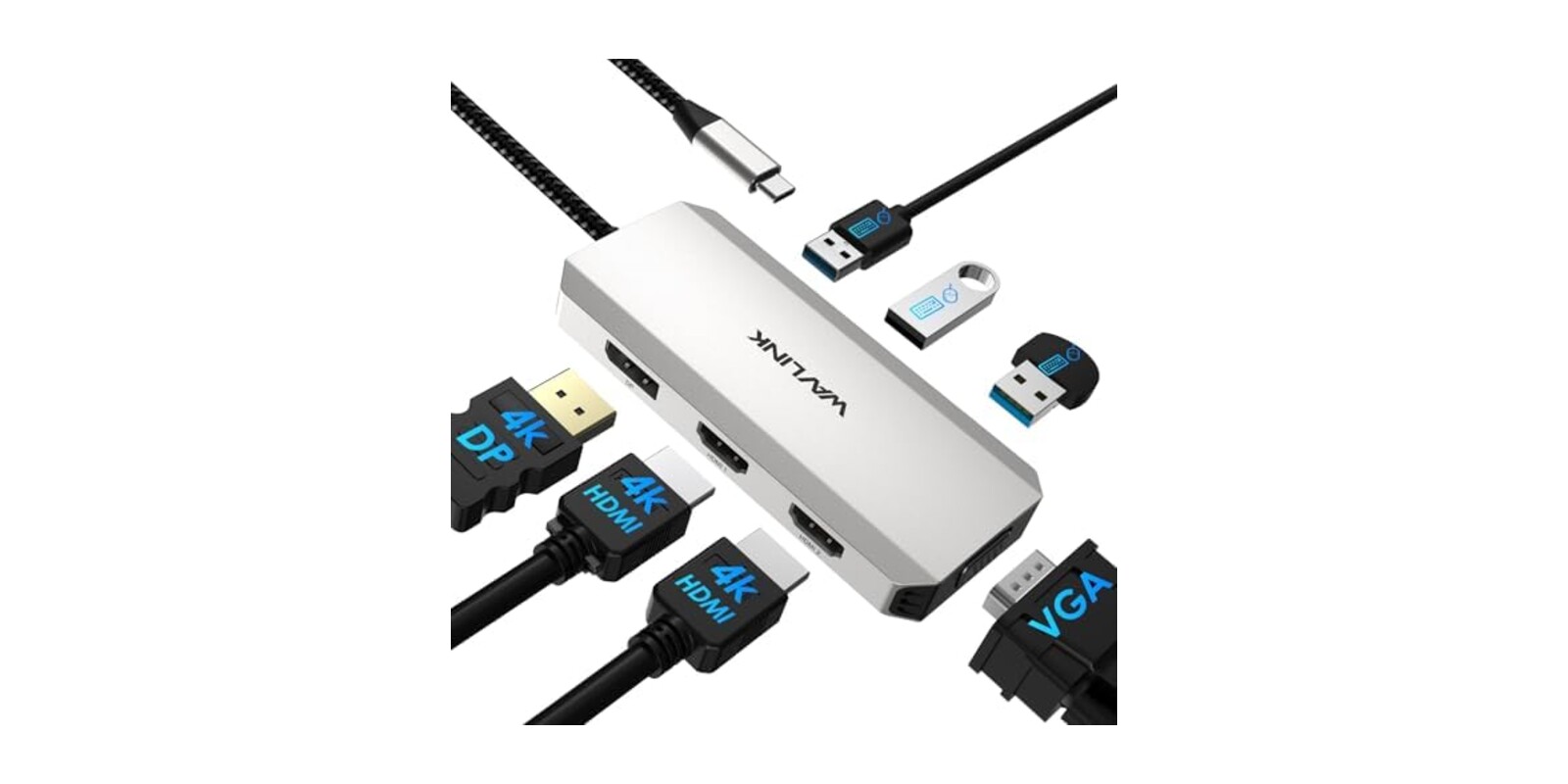
The fix was not elegant. It was a small black box called the WAVLINK USB-C docking station, which takes one USB-C plug from the laptop and fans it out to two HDMI ports, a DisplayPort, a VGA port for some reason, and three USB-A sockets for the wireless dongles. Now the morning dance is one plug. The box stays velcroed to the desk. Nobody has thanked it, which is the fate of all good infrastructure.
Who Actually Needs This
This one comes with a hard filter, so read this part before anything else:
- 💻 Windows laptop people, only. It says so on the listing, twice. Half our office is on Macs and this box is useless to every one of them.
- 🖥 Hot-desk setups with two external monitors, where the whole value is collapsing the plug count.
- 🧳 Anyone working a temporary site or client office who wants a dual-monitor setup that travels in a jacket pocket.
- 🔌 Not for people who want one-cable charging. This dock does not charge the laptop. Power still needs its own plug.
What It Gets You
One plug, up to three screens
Two HDMI ports and a DisplayPort, with support for extended desktops rather than just mirroring. Most of our use is two monitors plus the laptop screen, which it handles without drivers or fuss: plug in, wait two seconds, windows snap back where they belong. There's also the VGA port, which felt like an antique until the day someone needed to feed a hotel conference room projector, and suddenly the antique was the hero.
A parking spot for the dongles
The three USB-A ports are the quiet feature. Wireless keyboard and mouse receivers live in the dock permanently, so they stop being tiny things people lose and start being part of the desk. Worth knowing: those ports are USB 2.0, fine for input devices and thumb drives, wrong for anyone hoping to dump a card full of video through them.
A product page that tells you the truth
I want to give credit for something rare. The listing has a Notes section that plainly says: not for Mac, doesn't charge, needs a USB-C port with video output, and your laptop's graphics card decides how many monitors you actually get. I write product copy for a living and I know how much pressure there is to bury every one of those sentences. Somebody at this company chose fewer returns over more clicks. Respect.
💡 Tien's Note
Before ordering, check that your laptop's USB-C port actually carries video (look for a DisplayPort logo by the port, or check the spec sheet for "DP alt mode"). This is the single thing that decides whether the dock works or becomes a drawer object. Half the one-star reviews in this category, any brand, are this check being skipped.
The Honest Version
It holds 4.2 stars across about a hundred ratings, so a smaller sample than we usually lean on, worth keeping in mind. The happy majority describe exactly our experience: plug and play, dual monitors up in seconds, solid for the money. The compact size gets repeat mentions, and one field technician called it right for mobile job sites, which matches how we'd use it on client visits.
The complaints are real, though. One buyer got screen flashing bad enough to return it, which reads like either a defective unit or the alt-mode problem above, impossible to tell from outside. The VGA port has no screw anchors, so that cable holds on by friction and hope. And the box runs warm during long days, warm enough to notice, not enough to worry us yet. It also arrived in packaging best described as minimal, so inspect it on day one.
For a box that costs less than a decent team lunch, the deal is simple: it does one job, it announces its own limits, and it gave us back ninety seconds per person per morning. Mạnh has not presented any follow-up statistics, which is how we know it's working.
As Amazon Associates we earn from qualifying purchases. This comes at no extra cost to you.