
The drawer of identical black cables finally lost its power over us
Under the meeting room screen in Đà Nẵng there is a cabinet, and in that cabinet there is a drawer, and in that drawer live nine HDMI cables that all look exactly the same. Some came free with monitors we no longer own. One is old enough that it may have shipped with a projector. None of them are labeled. So when the wall screen says NO SIGNAL two minutes before standup, the ritual begins: pull a cable, swap it, wait, shrug, pull another. The record is four swaps before a picture appeared, with eleven people watching.
The annoying thing about HDMI cables is that the plug shape never changed while everything inside did. A cable from 2015 fits perfectly into a 2026 port and then quietly fails to carry the signal your screen actually wants. You can't see the difference. The cable knows. It isn't telling.
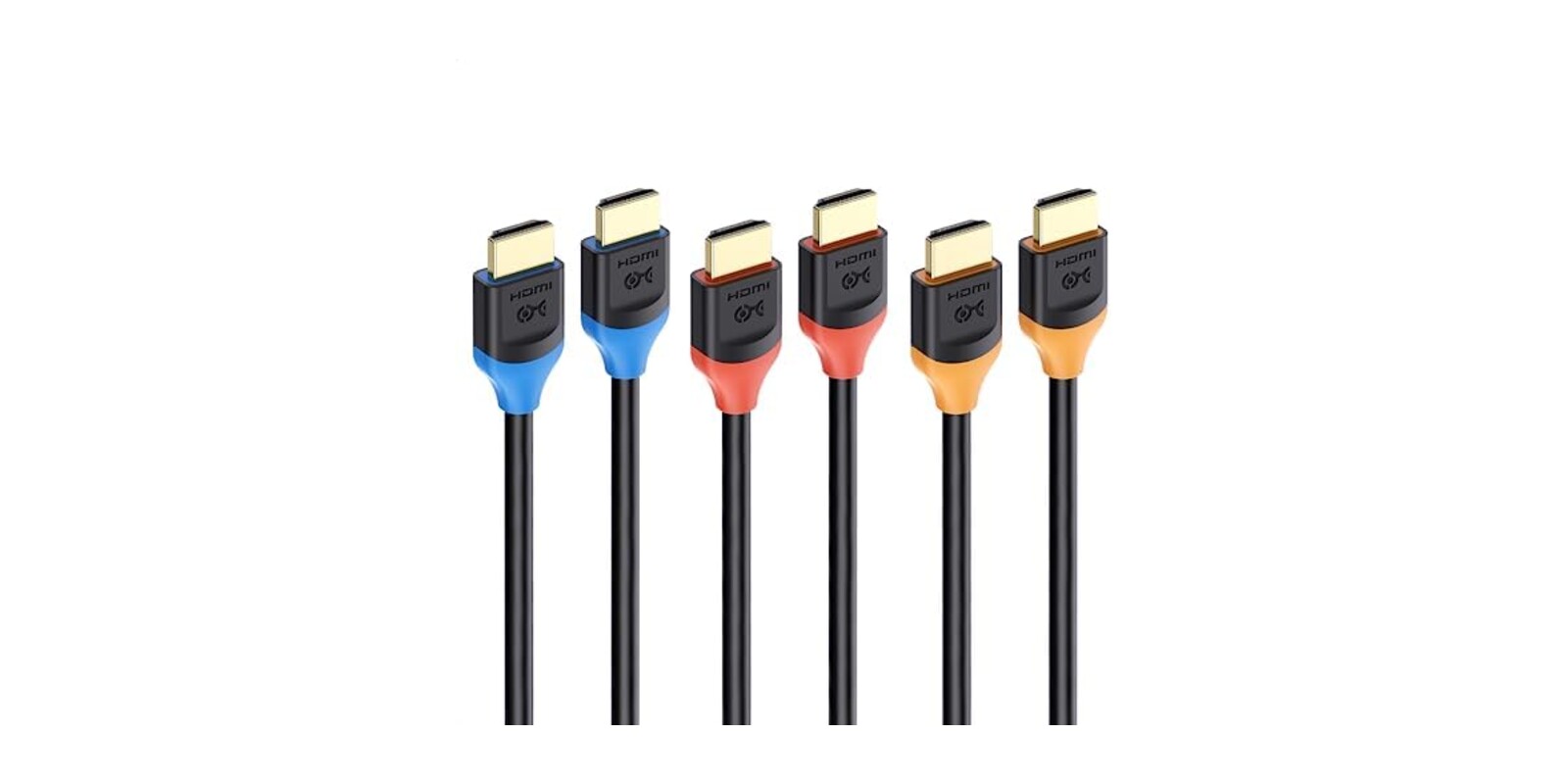
After the four-swap standup, An ordered a Cable Matters 8K HDMI cable 3-pack for the meeting room, and the old drawer went into a box that has not been opened since. The pitch is HDMI 2.1 bandwidth. The feature that actually fixed our problem is much dumber than that: the three cables come in different colors.
Who Actually Needs This
Not everyone. If your setup is a laptop into a 1080p monitor for spreadsheets, the cable you already own is fine and nothing here will change your life. The bandwidth matters when the signal gets demanding:
- 🎮 Console people. PS5 or Xbox Series X into a TV that can do 4K at 120Hz, which is exactly the combination old cables fail at.
- 🖥 Anyone driving a high refresh monitor from a serious GPU. One reviewer runs a 240Hz 4K display off an RTX 3090 through this without complaint.
- 📽 Offices with a meeting room screen and a rotating cast of devices plugging into it. This is us.
- 🔊 Home theater setups using eARC for Dolby Atmos, where the cheap cable is usually the silent culprit.
What It Gets You
Bandwidth you won't outgrow soon
These are certified Ultra High Speed HDMI cables, the official name for the HDMI 2.1 tier. That means 48Gbps of bandwidth, which covers 8K at 60Hz, 4K at up to 240Hz, eARC audio for Atmos and DTS:X, and Dolby Vision. Nobody in our office has an 8K screen and I suspect nobody reading this does either. The point isn't the 8K. The point is that a cable with this much headroom will not be the bottleneck for anything you plug in for years, which means you get to stop thinking about it. For an object whose whole job is to be forgotten, that's the spec that matters.
The colors, which is the actual product
Three cables, three colors. It sounds like packaging. It is quietly the best feature. When the meeting room screen misbehaves now, someone says "check the red one" instead of tracing an anonymous black wire through a cabinet with a phone flashlight. New cables also mean known cables: everything in that socket is 2.1, full stop, so an entire category of troubleshooting is just gone.
Lengths for actual rooms
It comes in 1 ft, 3.3 ft, 6.6 ft, and 9.8 ft versions, in single, double, or triple packs. We went with 6.6 ft, which reaches from the media shelf to the screen with enough slack to not be under tension and not enough to coil into a nest.
💡 Tien's Note
An installer in the reviews passed on advice worth keeping: buy the shortest cable that comfortably reaches, because long HDMI runs are where signal problems live. The same reviewer noted his unit arrived in a plain bag without the certification QR code that official Ultra High Speed cables carry on the box. Ours had it. Check yours when it arrives, and test your most demanding device inside the return window rather than six months later.
The Honest Version
It holds 4.7 stars across more than ten thousand ratings, which for a commodity cable is about as good as the category gets. The happy reviews are boringly consistent: 4K Blu-ray players into receivers, Roku boxes, PS5s, gaming PCs, in-wall installs, all working without drama, with the color coding getting mentioned far more often than any bandwidth number. That matches our experience. It got plugged in, the screen worked, and it has not been thought about since. This is the correct outcome for a cable.
The caveats are real but narrow. The missing QR code report means at least some stock has packaging that can't prove the certification the listing leads with, even if the cable itself performs. One buyer of the long 9.8 ft pack had one cable out of three drop signal at 4K 120Hz, which supports the installer's point about long runs. And a couple of the reviews praise this cable for two sentences before pivoting into a suspiciously detailed pitch for a different brand entirely. I write product copy for a living. I know a planted review when I read one. Skip those and read the boring ones from people connecting Blu-ray players; they're the reviews that tell you the truth.
One more honest note: you do not need 8K, and this cable will not make your picture look better than a working high speed cable already does. What you're buying is the certainty that the cable is never the problem, at a cost somewhere around lunch for the marketing team. Given how many standups the old drawer quietly taxed, it has already paid for itself.
The mystery cable drawer still exists, technically. It lives in the box under Trình's desk, waiting for a day of need that I hope never comes. The meeting room screen has not shown NO SIGNAL since April. Nobody has said thank you to the cables, which is exactly how it should be.
As Amazon Associates we earn from qualifying purchases. This comes at no extra cost to you.

